Scripting In GridPro
GridPro offers ways to do meshing even without a GUI. One can fire the topology building and meshing commands individually or bundle them together in a file as a batch script or a shell script. Scripts can also be written and executed using Python.
Scripting is powerful tool as it aids in creating an automated design environment. Right from importing the geometry, to building the topology, to generating the mesh and exporting the it in solver compatible format, all the steps of the grid generation process can be done in a hands-free environment.
Scripts can be created with different objectives in mind. One can think of putting together the frequently used set of commands and use it as a macro or the entire meshing steps can be scripted and can be used in a non-interactive design environment.
Scripts are very handy and useful for processing similar geometries or for generating a sequential grid for a grid convergence study or unsteady simulations with physical transformation of the geometric components with time.
Scripting Examples
1. Scripting to generate sequential grids for a Grid Convergence Study for a flying wing configuration.
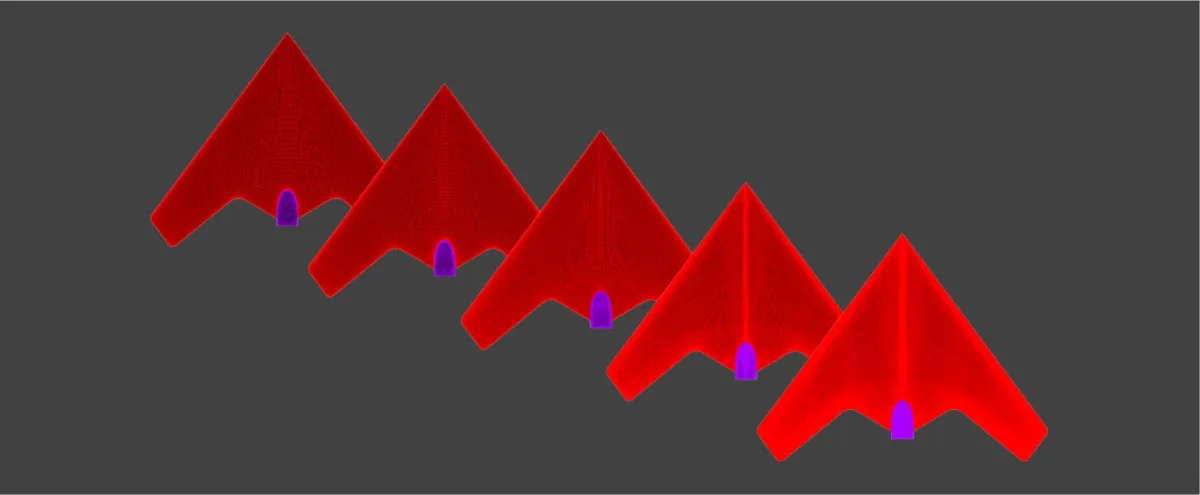
2. Scripting to perform surface and topology transformation for a case involving tandem spheres which are moving towards and further apart from each other.

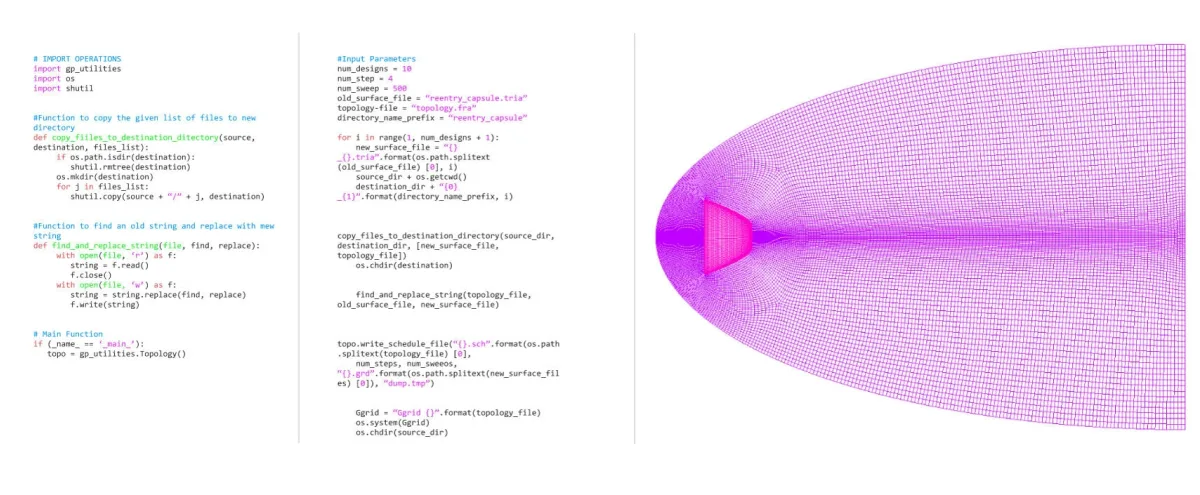
3. Meshing multiple geometries of a reentry capsule. In order to mesh various geometric variants of a reentry capsule, scripting is employed. Assuming that all the required geometric files are accessible to the user, each geometry is organized into separate folders. The API script systematically selects each geometry, meshes it, and stores the resulting grids in their respective folders.
Check out the next Key Software Capabilities: GridPro smoother in GridPro
Read more about scripting from our blog articles:
Automated Structured Meshing of Fuel Rod Assembly
A Case-Study for Grid Convergence Study (GCS)
Grid Convergence Study for Francis Turbine